Workout Customization
This guide explains how to add workouts to your weekly workout plan using the Fabulous50s Vitality App.
Step 1: Open Your Weekly Plan
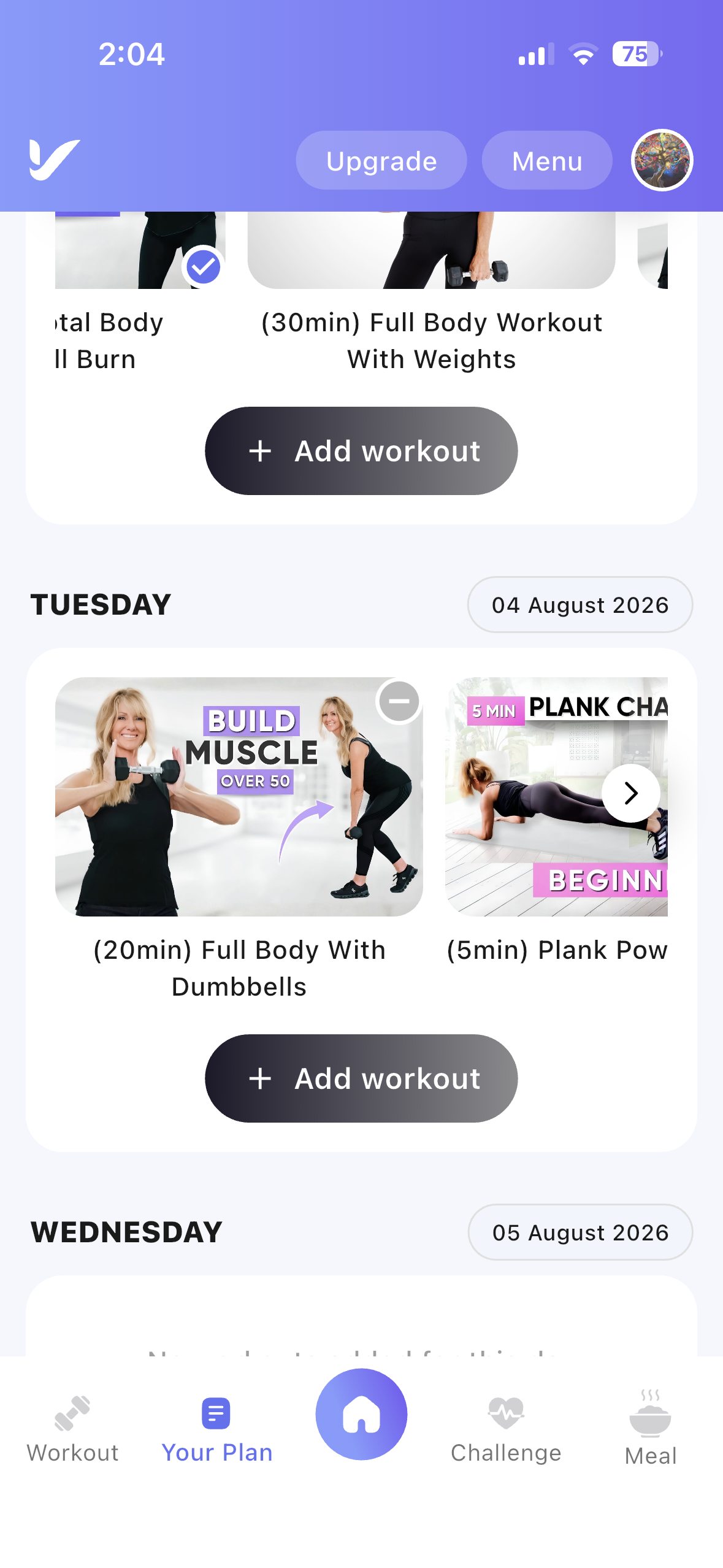
- Navigate to Your Plan: From the bottom navigation bar, tap the Your Plan menu.
- View Your Weekly Plan: The weekly calendar displays your scheduled workout days.
Step 2: Select a Day
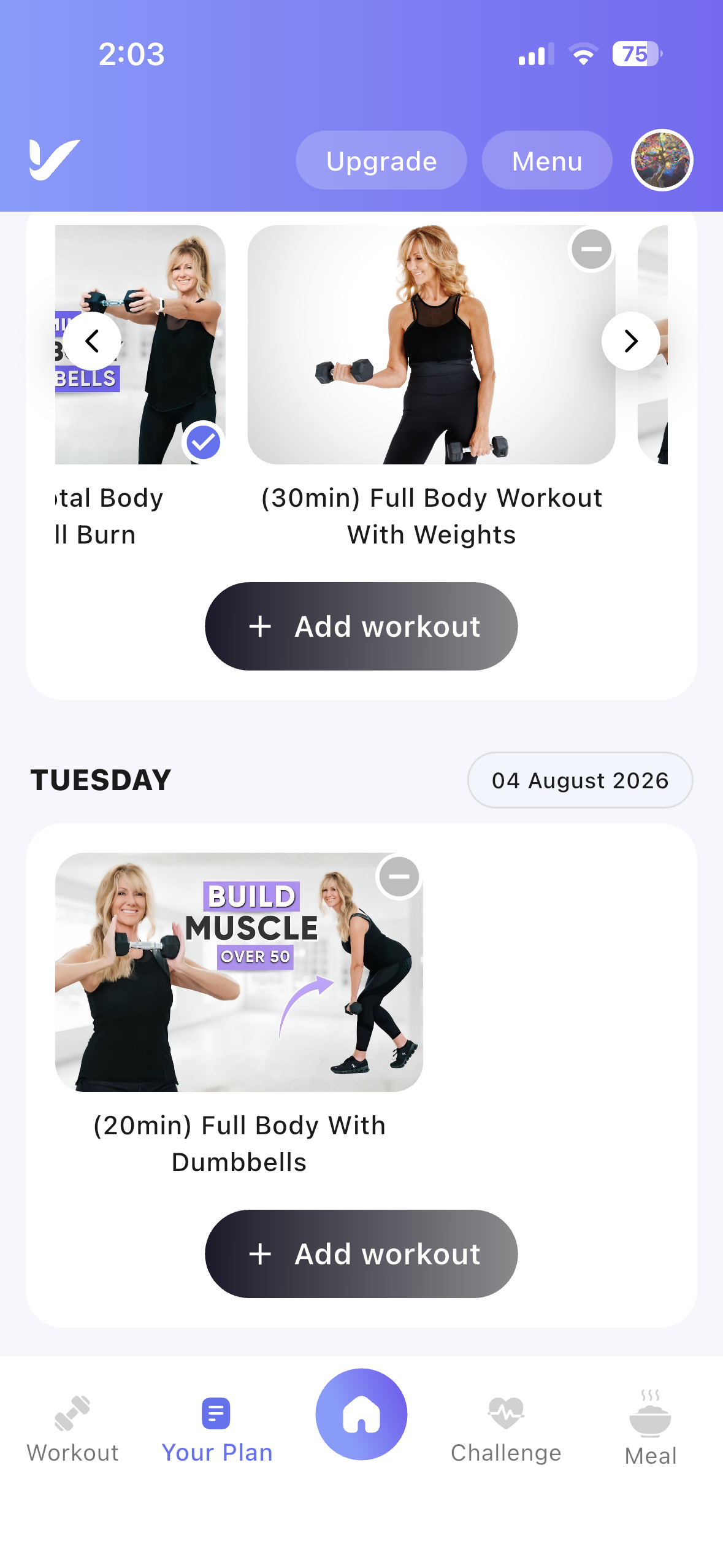
- Choose a Day: Select the day of the week (Monday to Sunday) where you want to add a workout.
- View Scheduled Workouts: Any workouts already assigned to the selected day will be displayed below the calendar.
Step 3: Add a Workout
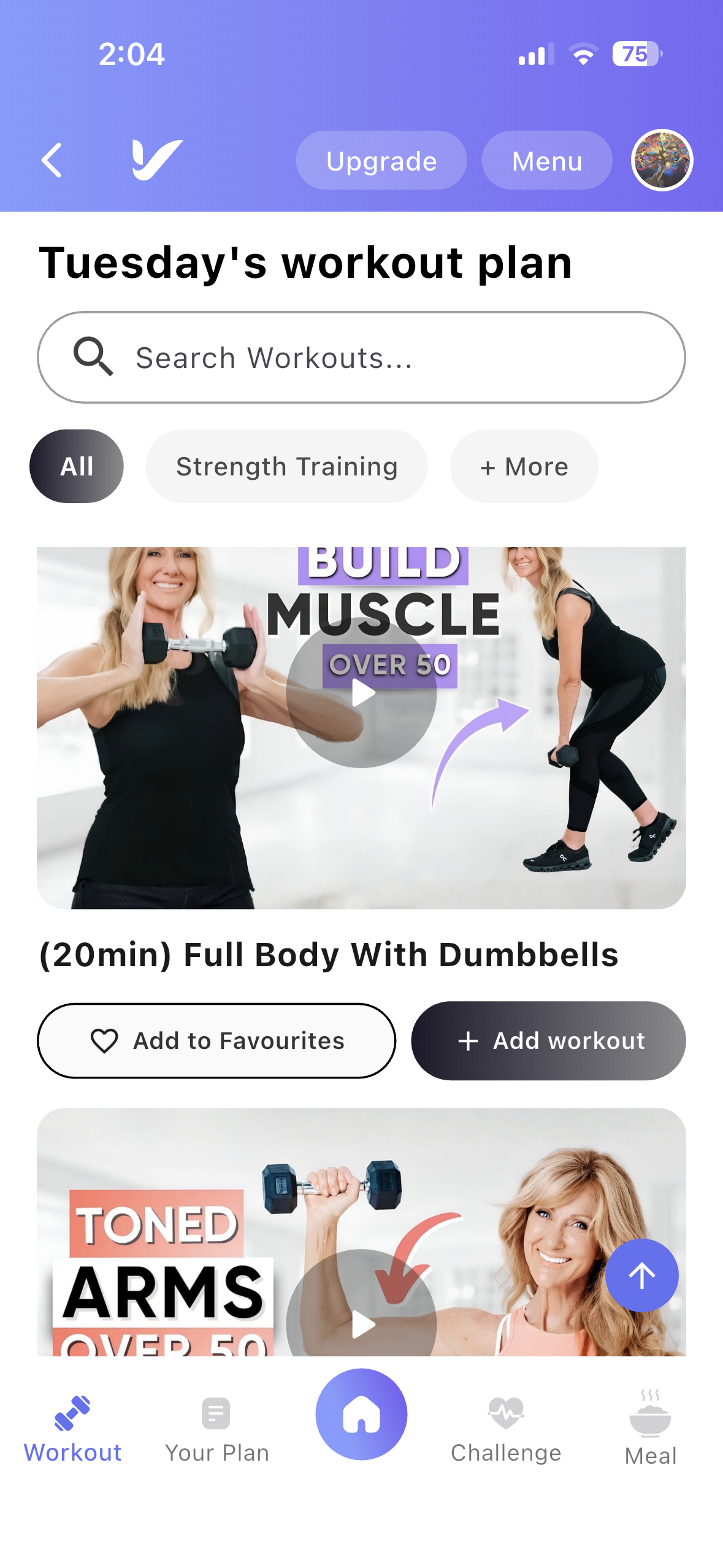
- Tap Add Workout: Click the Add Workout (+) button displayed below the selected day's workout list.
- Browse Available Workouts: A list of available workout videos will be displayed for selection.
Step 4: Select a Workout
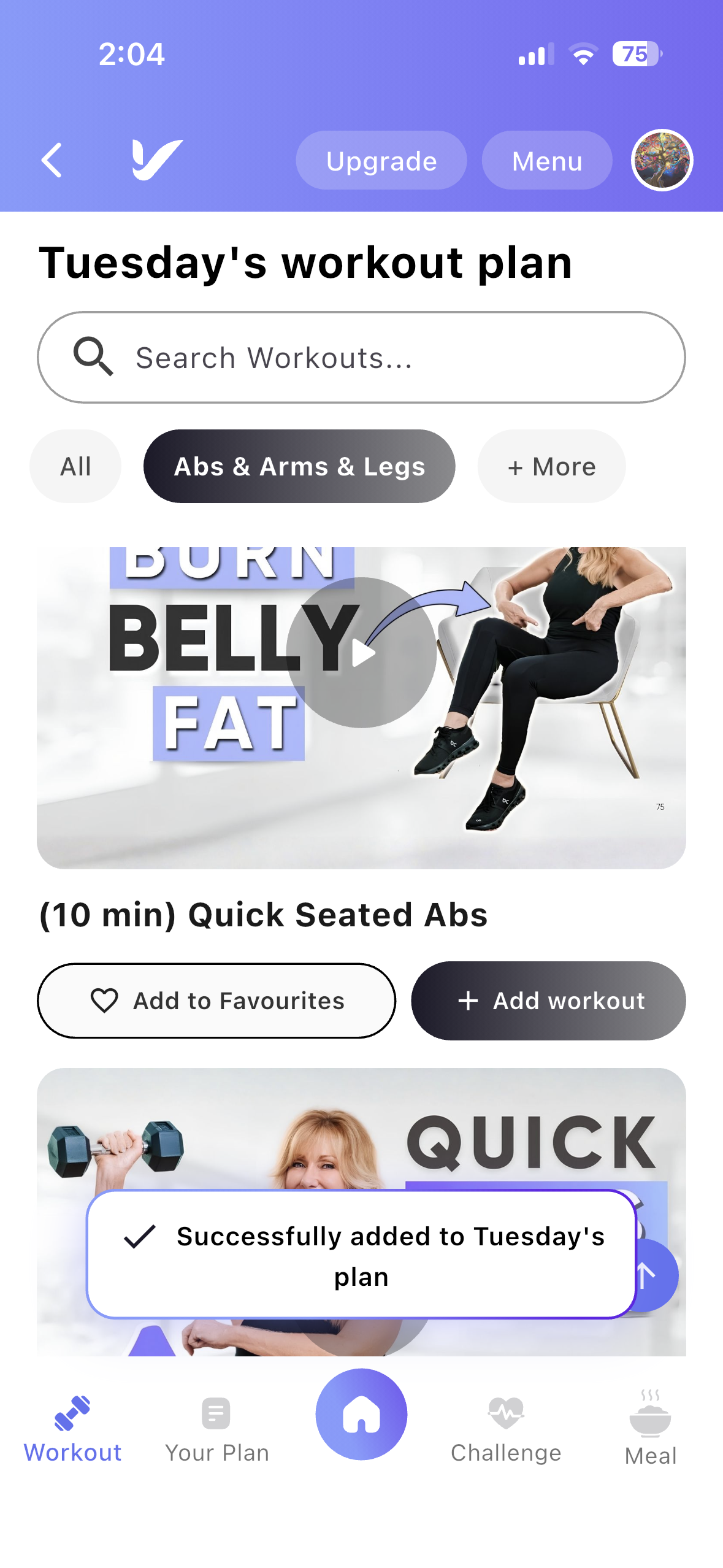
- Choose a Workout: Browse the available workouts and select the one you want to add.
- Workout Added: The selected workout will be added to your chosen day and will appear in your weekly schedule.
Viewing Added Workouts
- Review Your Schedule: The added workout is displayed under the selected day in Your Weekly Plan, making it easy to view and complete your planned exercises.