6. Meal
Introduction to Meals
In the Fabulous50S Vitality App, the Meal Page is designed to simplify the management of your nutrition by providing personalized meal plans tailored to your needs and preferences. Whether you're focusing on fitness goals, health conditions, or dietary preferences, the Meals feature ensures you have balanced and enjoyable meals throughout the week.
Description:
Get personalized meal plans based on your dietary preferences and goals. Includes nutrition facts, recipes, and prep guides.
Meal Plan Overview
The Meal section is divided into two tabs:
- All Meal Plans – Displays all available meal plans.
- Your Meal Plan – Displays the meal plan you have joined and are currently following.
Available Meal Plans
The following meal plans are available in the app:
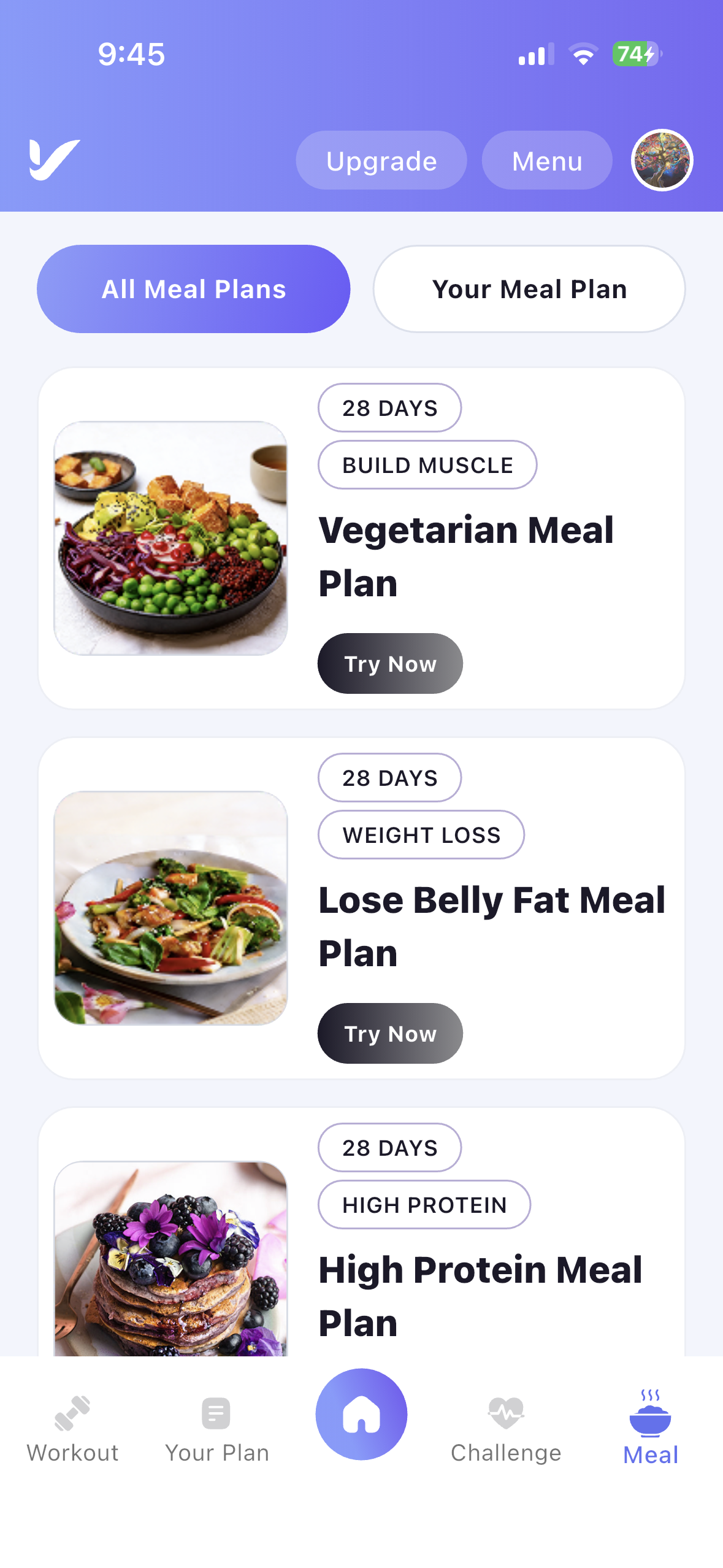
- Vegetarian Meal Plan
- Lose Belly Fat Meal Plan
- High Protein Meal Plan
- Osteoporosis Meal Plan
Accessing the Meal Plans Page
To explore the available meal plans, follow these steps:
Step 1: Open the Meal Menu
- Navigate to the Meal Menu: Tap the Meal icon from the bottom navigation bar.
- View Available Meal Plans: The All Meal Plans tab displays all available meal plans.
Viewing Meal Plan Details
Step 2: Select a Meal Plan
- Choose a Meal Plan: Tap any meal plan from the All Meal Plans list.
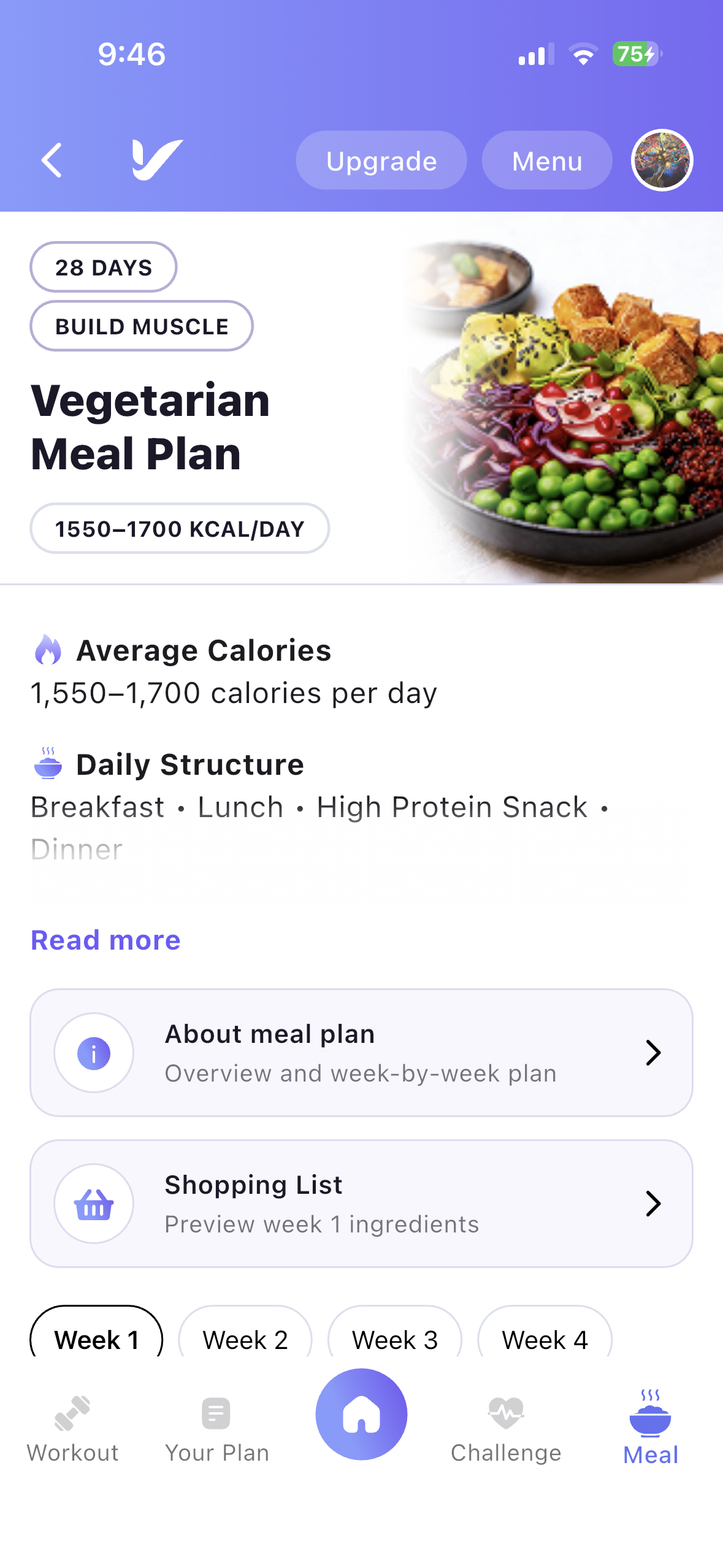
- View Meal Plan Details: The selected meal plan opens with complete information.
Meal Plan Information
The meal plan details page includes:
- Meal Plan Name
- Duration
- Daily Calorie Range
- Daily Meal Structure
- Health Goal
- Weekly Meal Schedule
About the Meal Plan
The About Meal Plan section provides additional information, including:
- Overview of the meal plan.
- How the meal plan works.
- Week-by-week meal plan guide.
Users can review the meals assigned for each week before starting the plan.
Shopping List
View Weekly Ingredients
- Tap the Shopping List option.
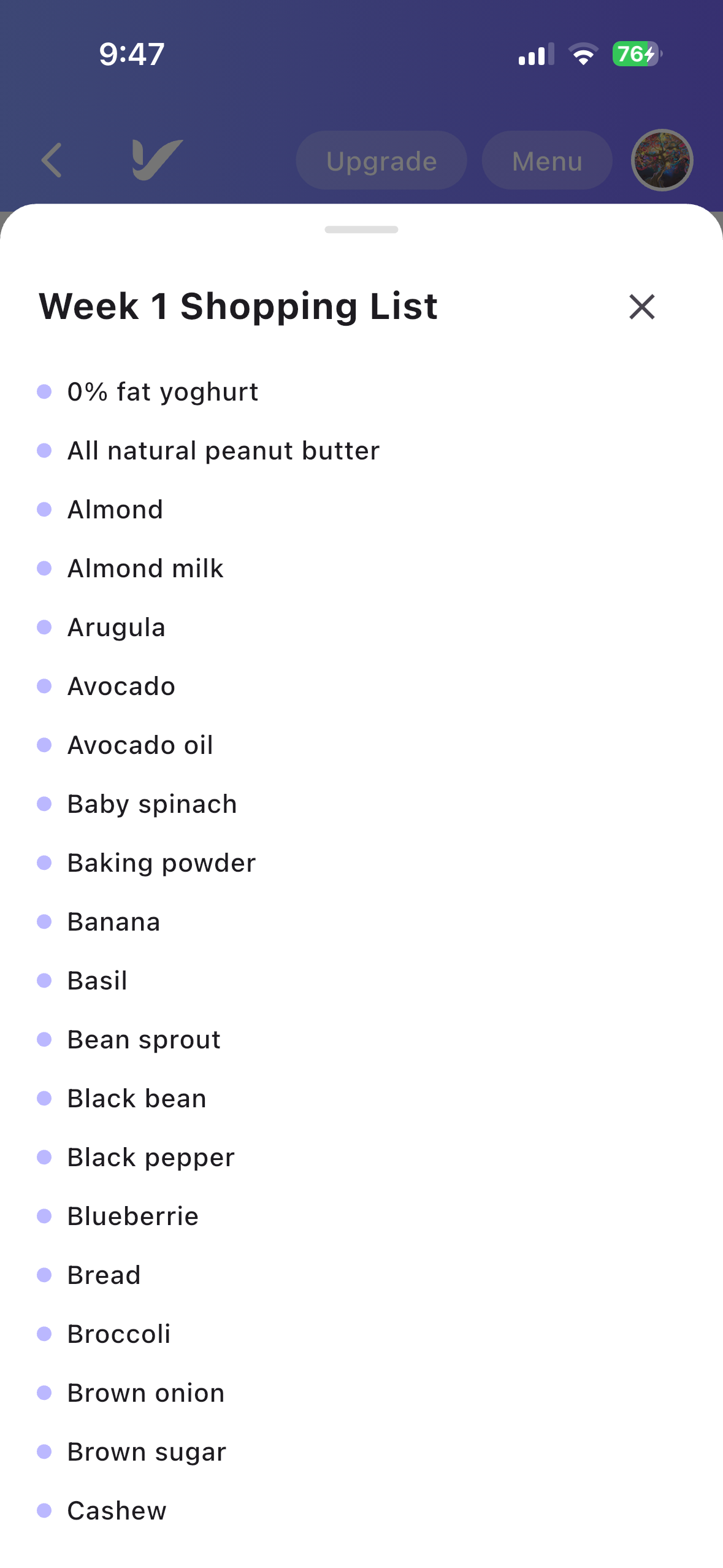
- View the ingredients required for the selected week's recipes.
- Use the shopping list to prepare everything needed before starting the meal plan.
Joining a Meal Plan
Step 3: Join a Meal Plan
- Tap Join Meal Plan: On the meal plan details page, tap the Start Meal Plan button.
- Meal Plan Activated: The selected meal plan will be added to Your Meal Plan.
Your Meal Plan
View Your Active Meal Plan
- Open the Your Meal Plan tab.
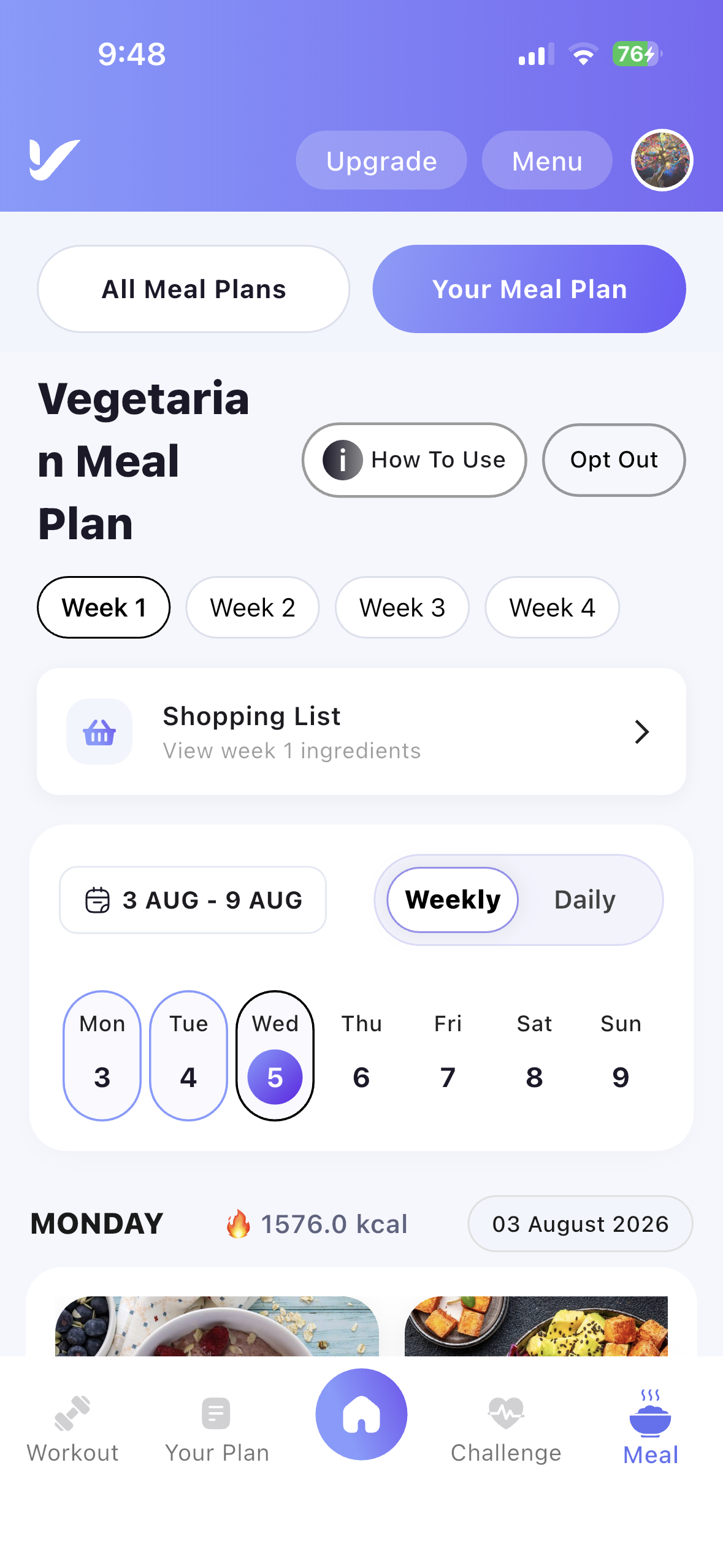
- The meal plan you have joined will be displayed.
- Browse the weekly meal schedule and follow the daily meal recommendations throughout the program.
Weekly Meal Schedule
Each meal plan contains a structured weekly schedule.
- View all available weeks in the meal plan.
- Select a week to view its meals.
- Review the daily meal schedule, including Breakfast, Lunch, Afternoon Snack, and Dinner.
- Follow the recommended meals to stay on track with your nutrition goals.