5. Challenges
The Challenges feature is a structured and progressive fitness journey designed to help users pursue specific health and wellness goals. Through carefully curated programs, users are guided daily to build consistency and achieve results.
- All Challenges – Displays all available fitness challenges.
- Active Challenges – Displays the challenges you have joined and are currently participating in.
Description:
Join health and fitness challenges that keep you motivated. Earn badges and stay accountable with progress tracking.
Available Challenges
The following challenges are available in the app:
- 14 Days Pilates
- 28 Days Beginner
- 28 Days Intermediate
- 28 Days Advanced
- 14 Days Christmas
- 7 Days 10 Mins Challenge
- 7 Days Busy Women
- 7 Days Face Yoga
- 7 Days Gentle Reset
- 14 Days Slow Down
- 14 Days Weight Loss Challenge
- 84 Days Arm Swing
- 14 Days Lose Belly Fat
- 21 Days Lift & Sculpt
- 42 Days Chair Fit
- 28 Days Chair Yoga
Accessing the Challenges Page
To explore the available challenges, follow these steps:
Step 1: Open the Challenges Menu
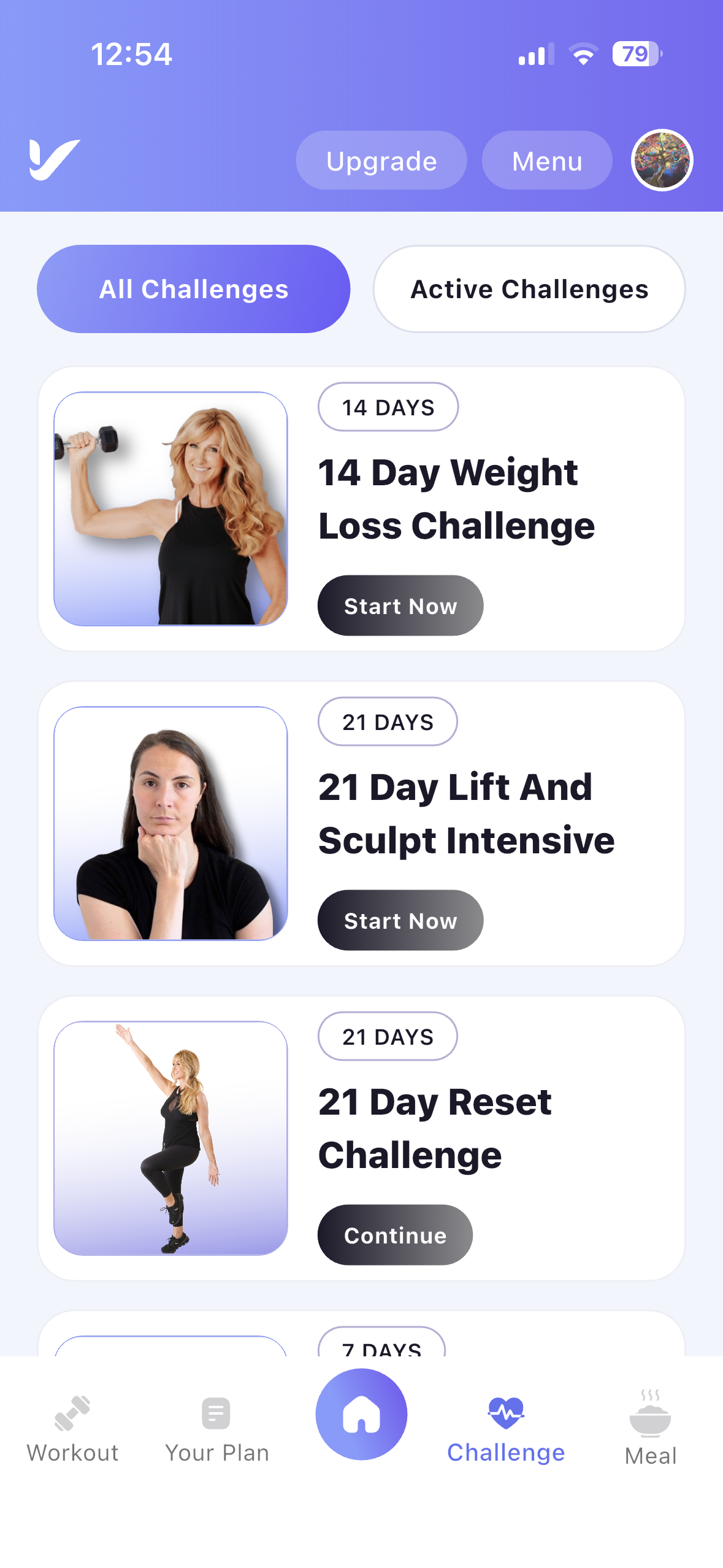
- Navigate to the Challenge Menu: Tap the Challenge icon from the bottom navigation bar.
- View Available Challenges: The All Challenges tab displays every challenge available in the app.
Viewing Challenge Details
Step 2: Select a Challenge
- Choose a Challenge: Tap any challenge from the All Challenges list.
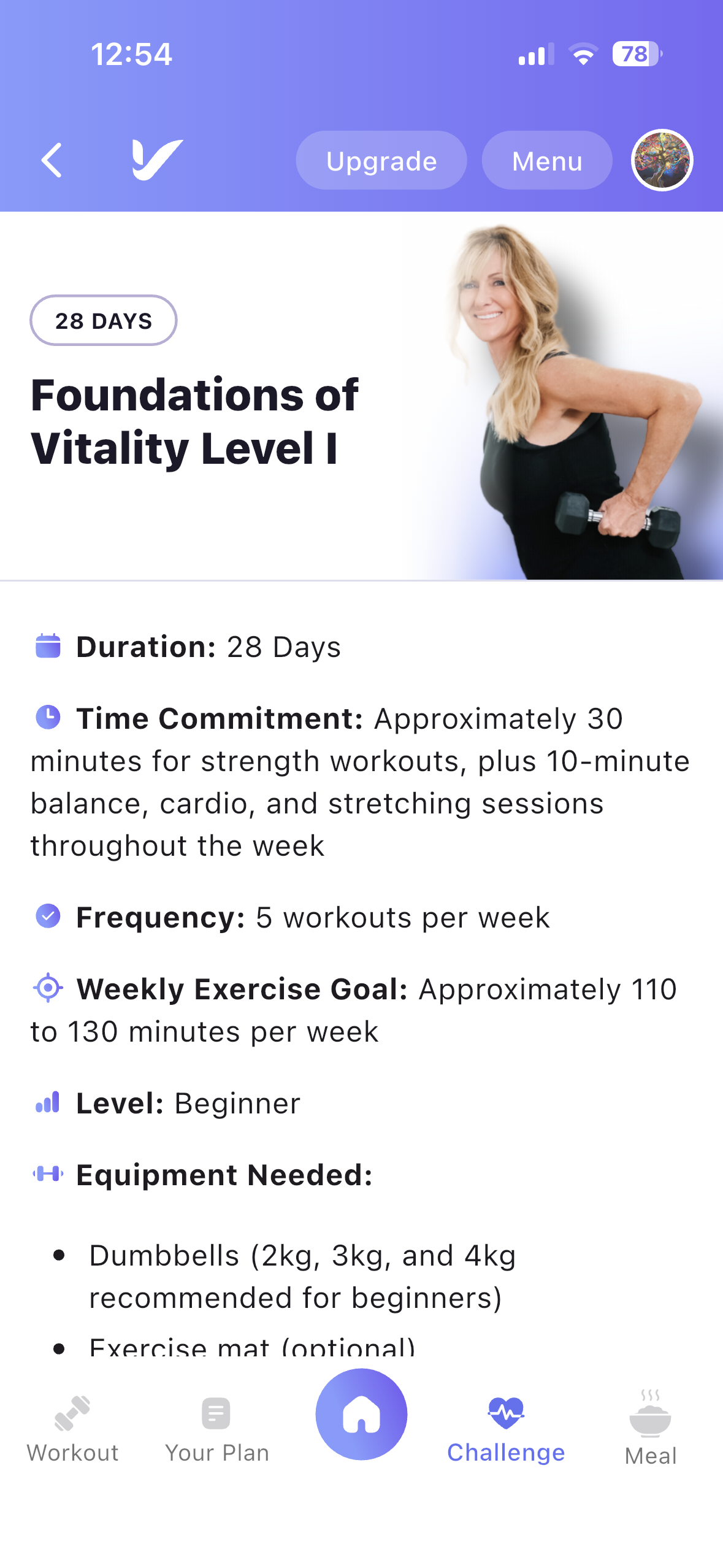
- View Challenge Details: The Challenge Details page displays complete information about the selected challenge.
Challenge Information
Each Challenge Details page includes:
- Challenge Name
- Challenge Duration
- Daily Time Commitment
- Workout Frequency
- Weekly Exercise Goal
- Equipment Required
About the Challenge
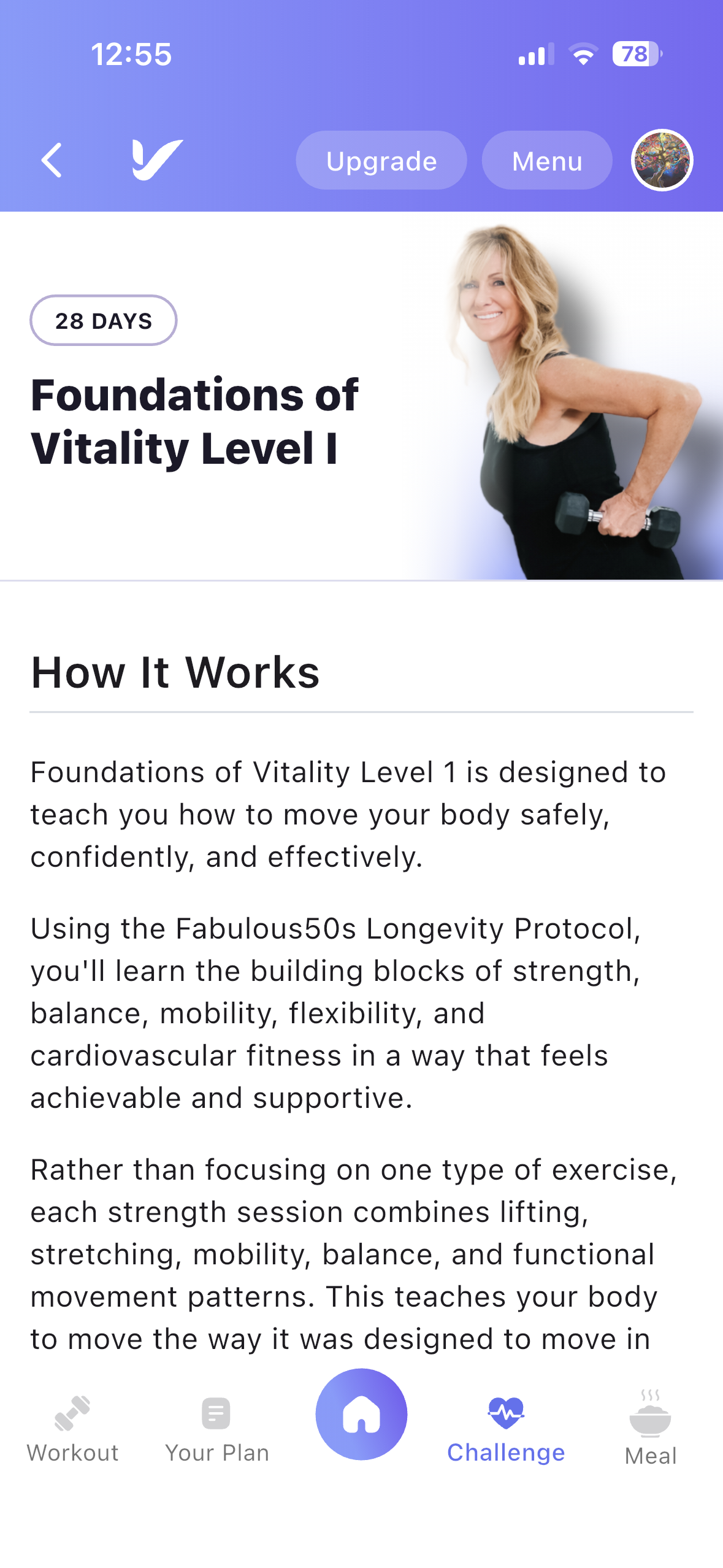
The About Challenge section provides additional information to help you understand the program before joining.
Information Included
- How the Challenge Works
- Why the Challenge Works
- Recommended Meal Plan
- Week-by-Week Challenge Plan
Users can review the complete workout schedule for every week and see the workouts assigned for each day throughout the challenge.
Joining a Challenge
Step 3: Join a Challenge
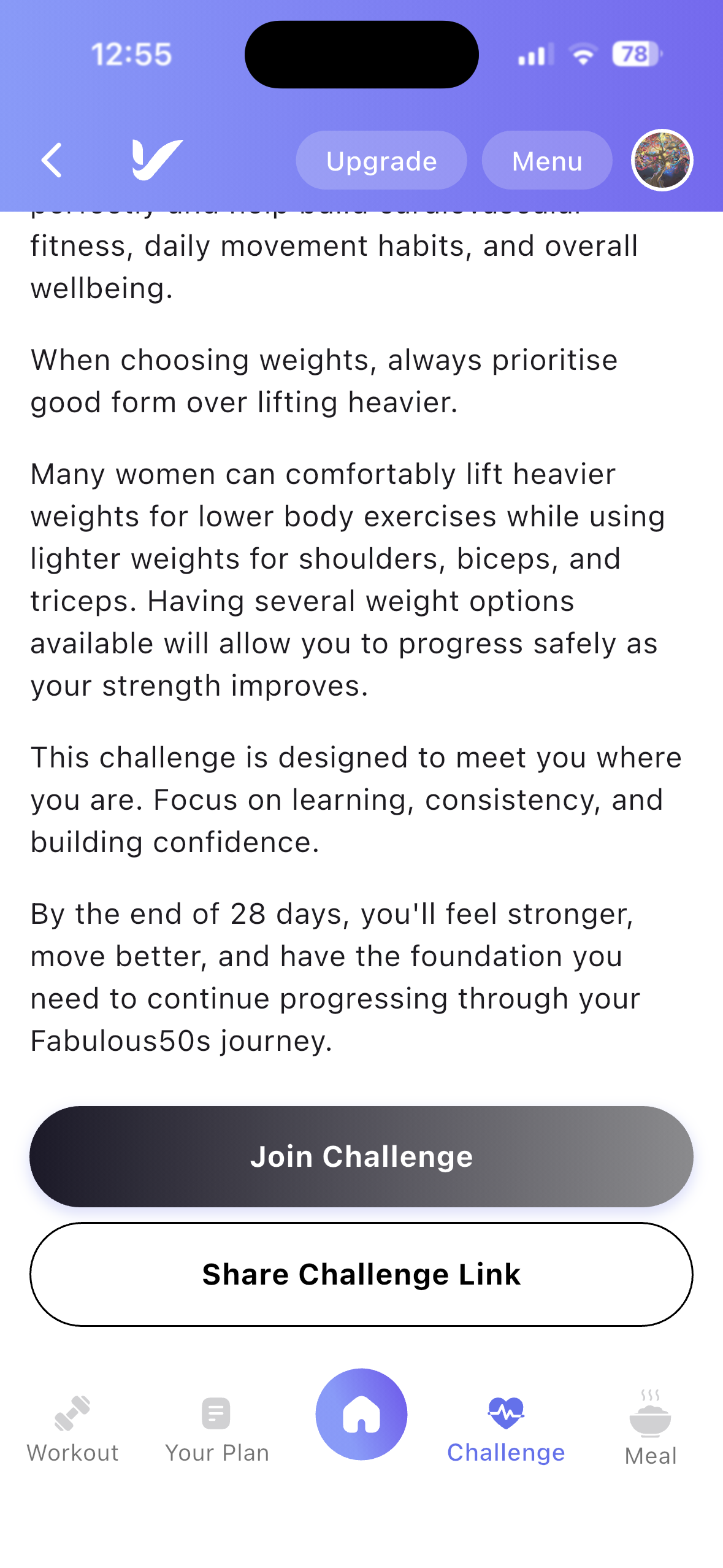
- Tap the Join Challenge button on the Challenge Details page.
- The selected challenge will automatically appear in the Active Challenges tab.
- You can begin following the daily workout schedule immediately.
Sharing a Challenge
Share Challenge
- Tap the Share Challenge button.
- Share the challenge with friends or family using your preferred social media or messaging application.
Active Challenges
View Active Challenges
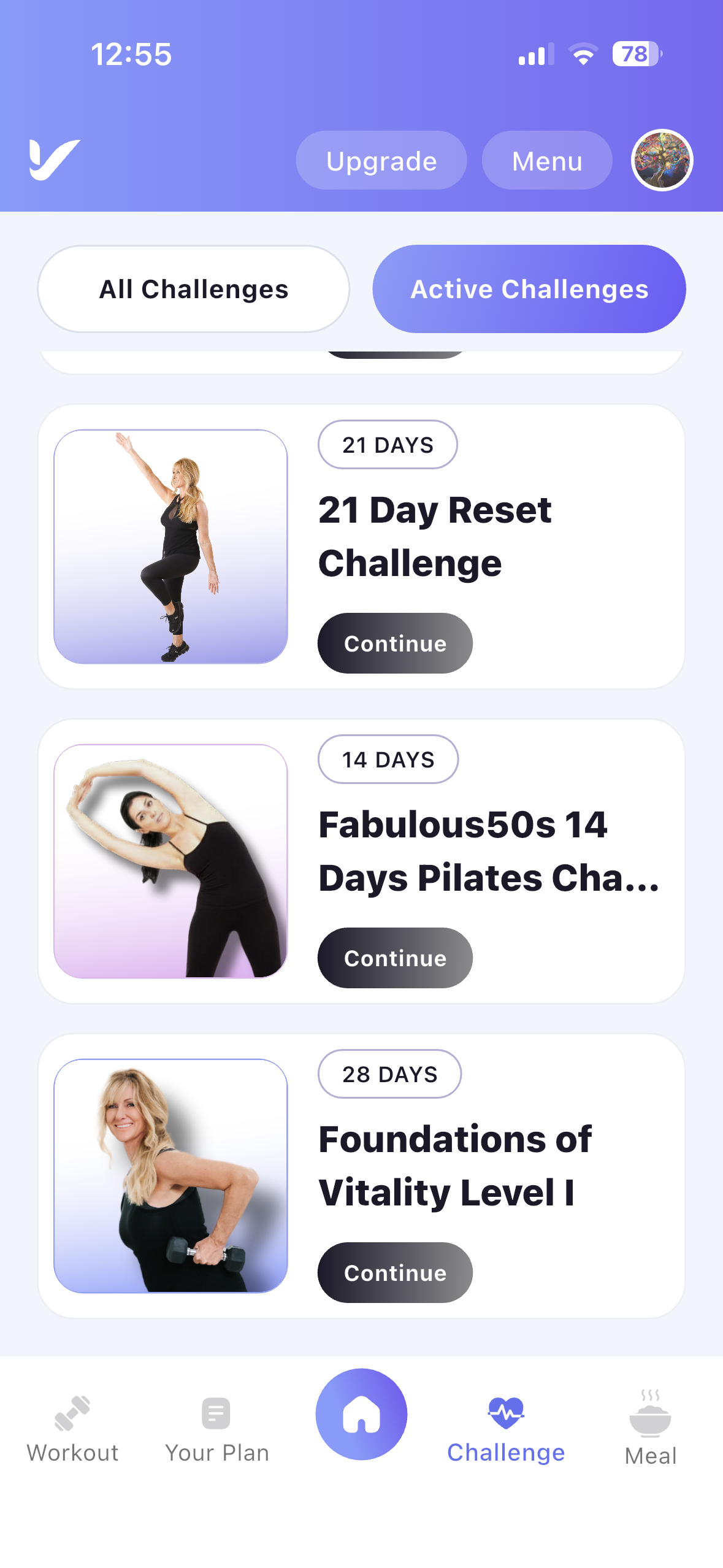
- Open the Active Challenges tab.
- View all the challenges you have joined.
- Select any active challenge to continue your progress.
Challenge Schedule
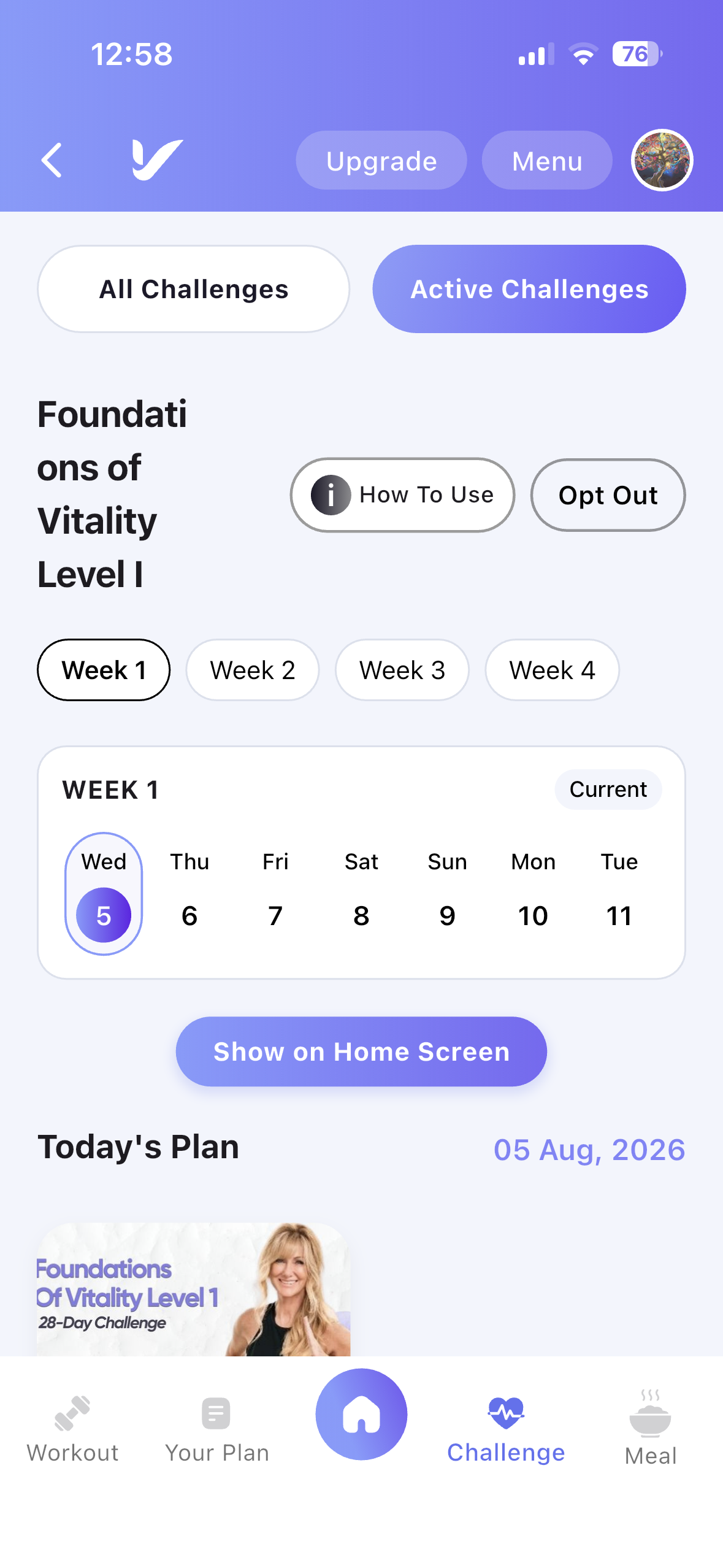
Weekly Workout Plan
Each challenge includes a structured workout schedule.
- View the total number of weeks in the challenge.
- Browse the workouts for each week.
- View the workouts assigned for each day.
- Complete daily workouts to progress through the challenge.
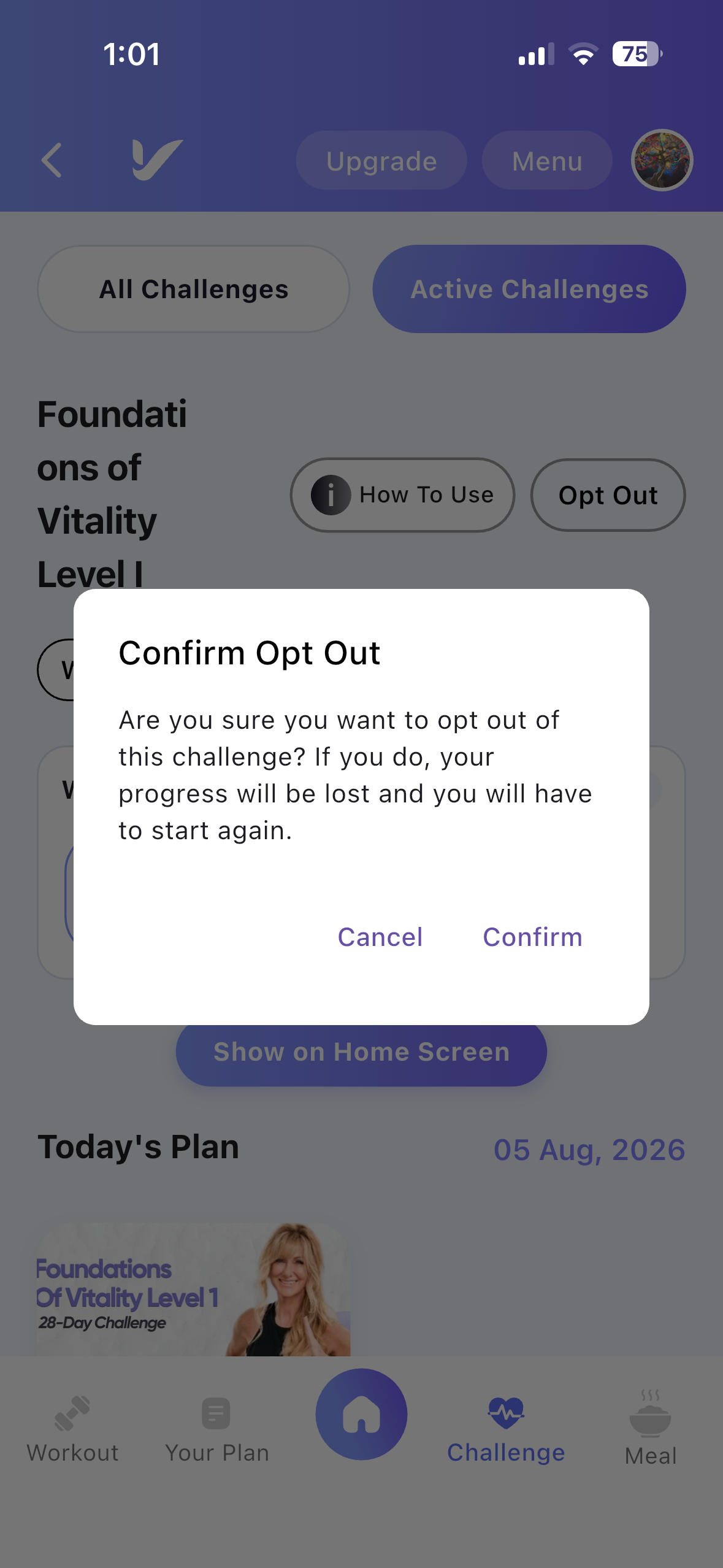
Opt-Out Anytime
- Users can leave any active challenge whenever they choose.
Switch Challenges Freely
- Users may join a new challenge at any time.
- Opting out of one challenge does not prevent them from participating in another challenge.
Access Control
Free Users
- Free users cannot access the Challenges feature.
- Attempting to join a challenge redirects the user to the Subscription page to upgrade their membership.
Paid Users
- Paid users have full access to all available challenges.
- Subscribers can browse, join, and participate in any challenge available in the app.
Rewards and Progression
The Challenges feature helps users stay motivated throughout their fitness journey.
Multiple Active Challenges
- Users can join and participate in multiple challenges simultaneously, allowing them to work toward different fitness goals at the same time.